How to Reset Voopoo Drag Vape: Complete Step-by-Step Troubleshooting Guide (2026)
Learn how to reset Voopoo Drag vape with this complete guide. Fix firing issues, restart your device, troubleshoot common errors, and discover expert tips

George Brown
If your Voopoo Drag device is freezing, not firing, displaying errors, or behaving unexpectedly, learning how to reset Voopoo Drag vape can often solve the problem. The Voopoo Drag series is known for its powerful GENE chip, excellent performance, and advanced features, but like any electronic device, it may occasionally require a reset or basic troubleshooting.
In this guide, you'll learn the safest ways to reset your device, common causes of problems, and practical troubleshooting tips to get your vape working again.
Note: The reset process may vary slightly depending on your specific Voopoo Drag model (Drag S, Drag X, Drag 3, Drag H80S, Drag 4, Drag M100S, etc.).
Why You May Need to Reset a Voopoo Drag Vape
There are several situations where learning how to reset Voopoo Drag vape becomes useful.
Common reasons include:
Device freezing
Incorrect wattage settings
Screen not responding
Device not firing
Battery issues
Chipset glitches
Error messages
Poor performance after changing coils
Fortunately, many of these issues can be resolved without replacing the device.
How to Reset Voopoo Drag Vape
If you're wondering how to reset Voopoo Drag, follow these basic steps.
Method 1: Restart the Device
Turn the device off by pressing the fire button five times quickly.
Wait 15–30 seconds.
Turn it back on by pressing the fire button five times again.
Check whether the issue has been resolved.
This simple restart fixes many temporary software glitches.
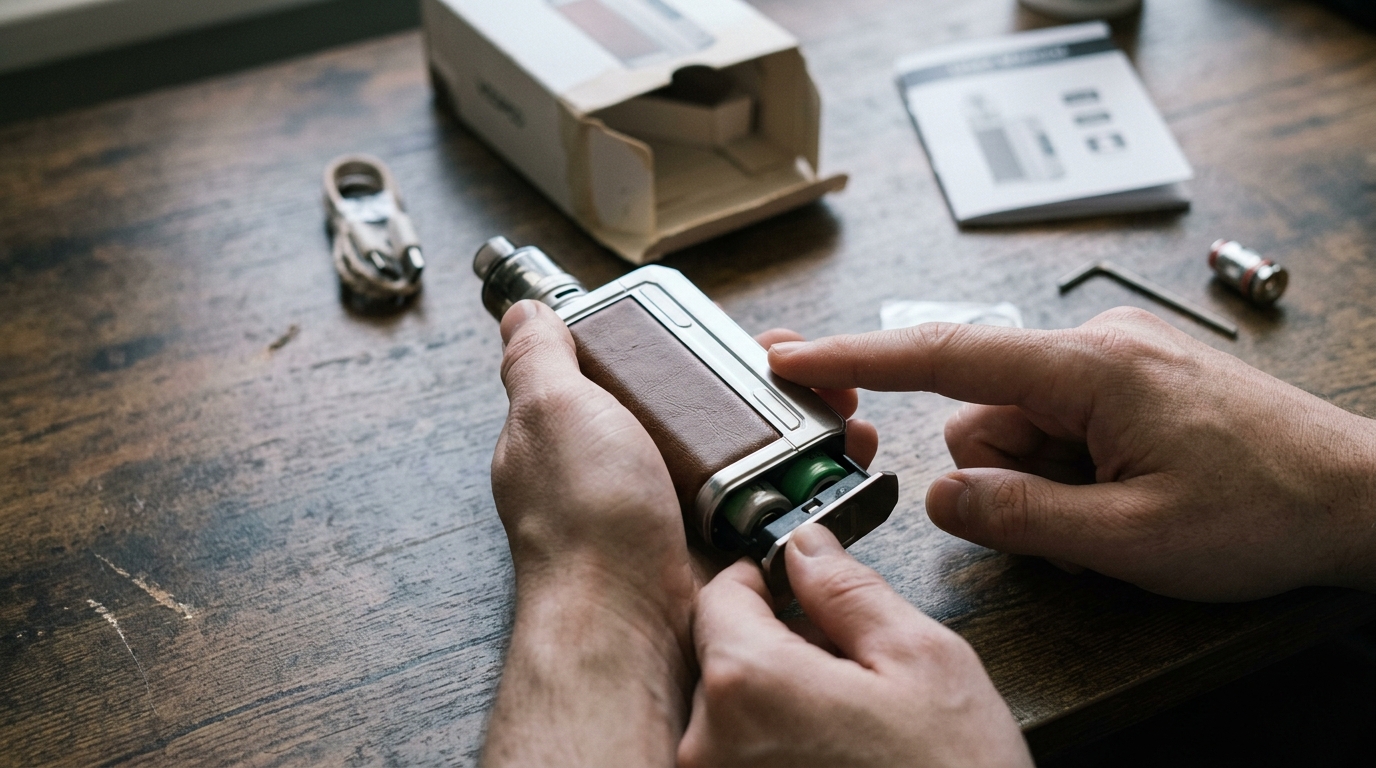
Voopoo Drag Reset Using Battery Removal
If the device has a removable battery:
Power off the vape.
Remove the battery.
Wait approximately one minute.
Reinsert the battery correctly.
Turn the device back on.
This process acts as a basic voopoo drag reset and often clears temporary chipset errors.
Voopoo Drag Factory Reset
Many users search for a voopoo drag factory reset, but it's important to understand that most Voopoo Drag devices do not include a dedicated factory reset option like a smartphone.
Instead, the GENE chip automatically stores essential operating settings. Power cycling the device and adjusting settings manually are typically the closest alternatives.
Always consult your device's user manual for model-specific instructions.
Reset Voopoo Drag Settings
If you'd like to reset Voopoo Drag settings, manually return your preferred settings to their default values.
This may include:
Wattage
Smart mode
RBA mode
Puff counter (if supported)
Screen brightness
Theme settings
Lock options
Review your model's menu system to locate these options.
Voopoo Drag Restart Procedure
A voopoo drag restart is one of the easiest troubleshooting methods.
To restart:
Turn off the device.
Wait several seconds.
Turn it back on.
Check battery connection.
Ensure the pod or tank is installed correctly.
A simple restart frequently restores normal operation.
Where Is the Voopoo Drag Reset Button?
Many users ask about a voopoo drag reset button.
The answer is simple:
Most Voopoo Drag models do not have a dedicated physical reset button.
Instead, resets are performed by:
Power cycling
Removing and reinstalling batteries (where applicable)
Using menu options
Updating firmware when supported
If you see online references to a reset button, they generally refer to restarting the device rather than pressing a hidden button.
Voopoo Drag Vape Not Firing
If your voopoo drag vape not firing, several issues may be responsible.
Check the following:
Battery Charge
Ensure the battery has sufficient charge.
Coil Installation
A loose or improperly installed coil can prevent firing.
Pod Connection
Clean the contacts and reinstall the pod.
Coil Resistance
Replace old or damaged coils.
Wattage
Increase wattage if it's set too low for the installed coil.
Device Lock
Some models include locking features that prevent firing.
Voopoo Drag Not Working
If your voopoo drag not working, perform these checks:
Recharge or replace batteries.
Inspect battery contacts.
Check for liquid inside the pod connection.
Replace the coil.
Try another pod.
Clean connection points.
Restart the device.
If the screen remains blank after charging, additional troubleshooting may be necessary.
Voopoo Drag Won't Turn On
When your voopoo drag won't turn on, follow these troubleshooting steps.
Check Battery Orientation
Incorrect battery installation is one of the most common causes.
Inspect the Battery Wrap
Damaged battery wraps should be replaced immediately.
Charge the Battery
Try charging using a compatible USB-C cable.
Try Another Battery
For removable battery models, test with a fully charged battery.
Clean Battery Contacts
Dust or e-liquid may interrupt the electrical connection.
Voopoo Drag Error Fix
Several common error messages may require a voopoo drag error fix.
Atomizer Error
Possible causes:
Loose coil
Damaged coil
Dirty contacts
Solution:
Reinstall or replace the coil.
Clean the pod contacts.
Check Battery
Possible causes:
Weak battery
Poor battery connection
Solution:
Recharge batteries.
Replace damaged batteries.
Short Circuit
Possible causes:
Damaged coil
Faulty pod
Internal short
Solution:
Replace the coil.
Inspect the pod.
Never continue using a device showing repeated short circuit warnings.
Temperature Errors
Possible causes:
Overheating
Chain vaping
Solution:
Allow the device to cool before using it again.
Voopoo Drag Troubleshooting Tips
Basic voopoo drag troubleshooting should always begin with the simplest checks.
Recommended troubleshooting sequence:
Restart the device.
Charge the battery.
Replace the coil.
Clean all electrical contacts.
Check pod installation.
Verify battery orientation.
Update firmware if supported.
Test using another compatible pod.
This process resolves many common issues without requiring repairs.
Preventing Future Problems
To keep your Voopoo Drag performing reliably:
Keep the device clean.
Replace coils regularly.
Avoid overcharging.
Use authentic batteries.
Store away from extreme heat.
Avoid dropping the device.
Use genuine replacement pods.
Routine maintenance significantly reduces unexpected problems.
When Should You Replace Your Device?
Even with proper maintenance, vaping devices eventually wear out.
Consider replacement if:
The chipset repeatedly fails.
The screen remains permanently blank.
Charging no longer works.
Battery contacts are damaged.
The device overheats regularly.
Multiple components fail simultaneously.
Using damaged electronic devices is not recommended.
Why Buy Genuine Voopoo Products from Tranzax Vapors?
Choosing authentic vaping products helps ensure safety, performance, and reliability.
Tranzax Vapors offers a wide selection of genuine Voopoo devices, replacement pods, coils, accessories, and premium vaping products. Customers can shop with confidence knowing they are purchasing authentic products backed by reliable customer service and competitive pricing.
Whether you're upgrading your current device or replacing worn-out components, Tranzax Vapors provides trusted vaping solutions for customers across Pakistan.
Conclusion
Knowing how to reset Voopoo Drag vape can save time and resolve many common vaping problems, including freezing, firing issues, battery errors, and temporary software glitches. While most Voopoo Drag devices do not include a dedicated factory reset button, simple steps such as restarting the device, checking the battery, cleaning the contacts, replacing the coil, and reviewing your settings often restore normal performance.
For authentic Voopoo devices, replacement coils, pods, and premium vaping accessories, Tranzax Vapors is a trusted source in Pakistan. Choosing genuine products helps ensure better performance, longer device life, and a safer vaping experience.
FAQs
How do I reset Voopoo Drag vape?
Turn the device off by pressing the fire button five times, wait a few seconds, then turn it back on. On removable-battery models, removing and reinstalling the battery can also help reset the device.
Does the Voopoo Drag have a factory reset?
Most Voopoo Drag models do not include a true factory reset option. You can manually restore settings and restart the device to resolve many issues.
Is there a Voopoo Drag reset button?
No. Most Voopoo Drag devices do not have a dedicated reset button. Resetting is done through restarting the device or power cycling it.
Why is my Voopoo Drag vape not firing?
Common causes include a depleted battery, loose coil, dirty contacts, incorrect wattage settings, or a locked device.
What should I do if my Voopoo Drag won't turn on?
Check the battery charge, verify correct battery installation, inspect the battery wraps, clean the contacts, and try another compatible battery if your model uses removable cells.
About the Author
George Brown
No bio available