How to Keep a Short AI Video Consistent with Wan 3.0
Learn how Wan 3.0 and a Reference to Video workflow can keep subjects, motion, lighting, camera direction, and sound consistent in a short AI video.

john smith
A short AI video feels continuous when the subject, movement, lighting, camera direction, and sound all appear to belong to the same moment. When one of these elements changes without a clear reason, the clip can feel like several unrelated shots placed together.
The solution is not always a longer prompt or more reference material. A more useful approach is to give each input one clear role, choose one main action, and make sure the camera and sound support the same event.
Why Continuity Breaks
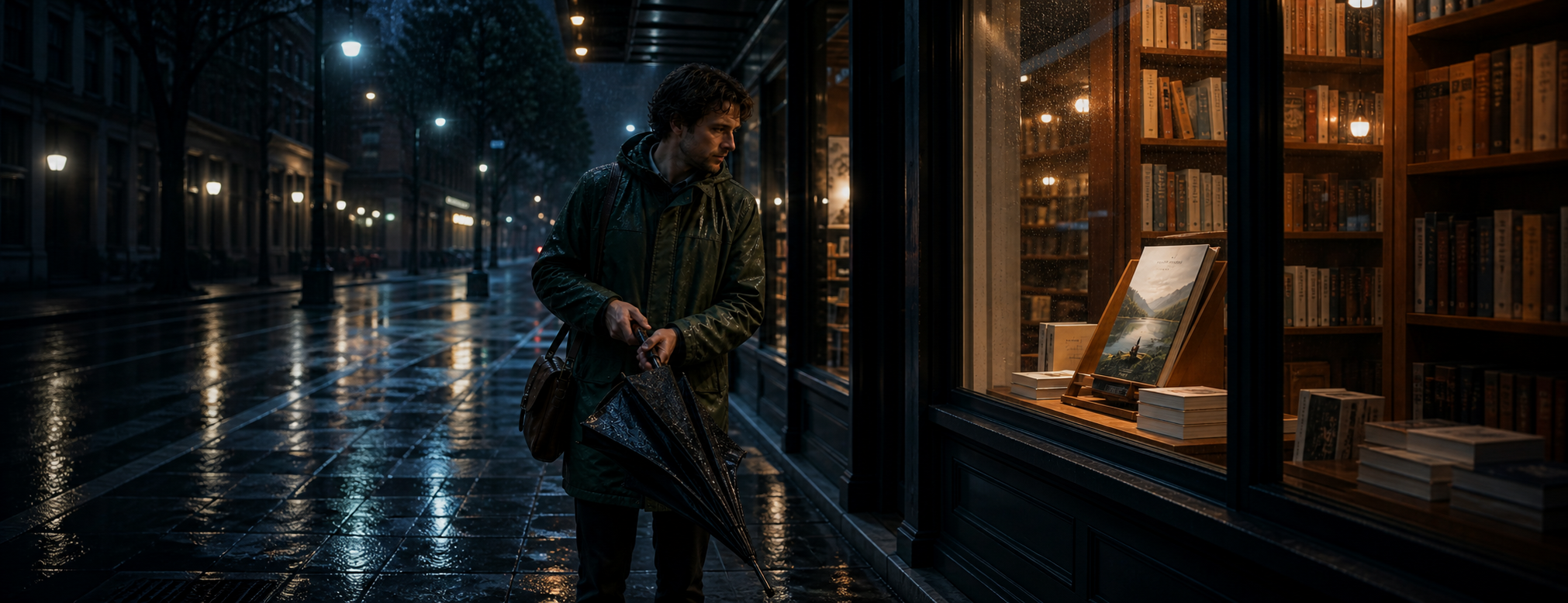
Imagine a traveler standing outside a bookstore on a rainy night. An image defines the traveler’s appearance. A short video shows how the umbrella should close. An audio clip contains rain and passing traffic.
Each source fits the idea, but they may not fit one another.
The character image may use warm light from the left, while the movement reference was recorded in bright daylight. The audio may suggest heavy rain, even though the planned scene shows a light drizzle. The prompt may request a slow camera push, while the video reference uses quick handheld movement.
These disagreements make the scene feel assembled rather than continuous. Viewers may not identify the exact problem, but they can sense that the subject, action, and environment do not belong to the same moment.
Give Each Reference One Role
A practical rule is to let every reference answer one question:
Image 1: What should the traveler look like?
Video 1: How should the umbrella-closing motion behave?
Audio 1: What should the street environment sound like?
First frame: Where does the camera begin?
Last frame: Where should the camera finish?
Not every scene needs all five inputs. Any reference included in the plan should have a necessary, non-conflicting purpose.
An appearance image should not also be expected to replace the planned lighting. A movement clip should guide action or rhythm, not introduce a different character. Audio should establish the environment or explain something visible, such as an umbrella snapping shut.
If removing a reference would not change the plan, that reference probably does not need to be included.
Use Reference to Video Without Overloading the Scene
A Reference to Video workflow is useful when continuity depends on more than appearance alone.
An image can define the traveler’s coat, hair, and bag, but it cannot fully explain the timing of an action. A movement clip can provide timing, but it should not replace the planned subject. Audio can establish atmosphere and rhythm, but it should not control the visual composition.
The goal is not to upload as much material as possible. It is to provide the smallest set of references that clearly explains the scene.
A planning prompt could read:
Use Image 1 for the traveler’s appearance and dark green coat. Use Video 1 only for the slow umbrella-closing motion. Use Audio 1 for light rain and distant traffic. Keep the warm bookstore light consistent. The camera moves forward slowly and does not circle the subject.
This separates appearance, action, sound, lighting, and camera movement. It also states what should not happen.
A Rainy Bookstore Planning Example
Consider a six-second scene outside a neighborhood bookstore. A traveler stands beneath the awning, closes a wet umbrella, and notices a book displayed in the window.
This is a planning example, not a claimed generation result.
The scene has one main action: closing the umbrella. The traveler looking toward the book provides a quiet ending without introducing another large movement. The camera begins behind and slightly to the side of the traveler, then moves gently toward the window.
The references could be assigned as follows:
A character image defines the coat, hair, and travel bag.
A short motion reference defines the pace of closing the umbrella.
The first frame places the traveler beneath the awning.
The last frame makes the displayed book clearly visible.
An audio reference provides light rain, one umbrella snap, and faint indoor music.
The lighting needs one consistent relationship: warm light comes from the bookstore while the street remains cool and blue.
Sound also needs a visible or environmental cause. The umbrella snap should happen as the umbrella closes, not before the action begins. Indoor music may become slightly clearer as the camera approaches the window, but it should not suddenly sound like a separate studio recording.
Keep the Action and Camera Simple
Short clips rarely need several equally important actions. If the traveler closes the umbrella, turns around, opens the door, picks up a book, and waves to someone within six seconds, the scene has no time to settle.
Choose the action that best explains the moment.
Camera movement should follow the same principle. A slow push toward the window supports the traveler’s attention. A fast orbit would introduce a different mood and make the storefront harder to recognize.
First and last frames can define the camera’s visual destination, but they do not explain every movement between them. The space between the two frames still needs to represent a reasonable physical and visual transition.
Where Wan 3.0 Fits
Once each reference has a clear role, the Wan 3.0 AI Video Generator can give a planned scene up to 30 seconds to unfold—enough time for one main action, a controlled camera move, and a matching sound cue without rushing the moment.
Its current Reference to Video interface accepts image, video, and audio materials, lets creators guide the first and last frames, and offers optional audio, multiple aspect ratios, and output up to 1080P. These controls can define the boundaries of a scene, but continuity still depends on how clearly each reference is assigned.
Final Check
Before generating, ask:
Does every reference have one necessary, non-conflicting role?
Is the subject’s appearance defined by one main source?
Is there only one primary action?
Do the first and last frames belong to the same visual world?
Does the camera movement support the subject’s attention?
Is the lighting direction consistent?
Does every important sound have a visible or environmental cause?
A continuous scene does not come from adding more instructions. It comes from making the instructions agree. When the subject, movement, lighting, camera, and sound all support the same moment, even a short AI video can feel like one uninterrupted piece of time.
About the Author
john smith
Independent writer covering AI tools, digital creativity, and practical online workflows. I share clear guides, comparisons, and observations to help readers understand new technology without the hype.