Building Smarter Document Workflows with an RC OCR API
Learn how an RC OCR API helps developers extract registration details and integrate document data into automotive applications.

AZAPI SERVICES
Building Smarter Document Workflows with an RC OCR API
Many digital applications depend on information collected from identity and registration documents. In the automotive industry, Registration Certificates (RCs) are an important source of information for applications dealing with vehicle records, insurance services, dealerships, and digital onboarding.
However, transferring information from these documents into software applications can become repetitive when handled entirely through manual data entry.
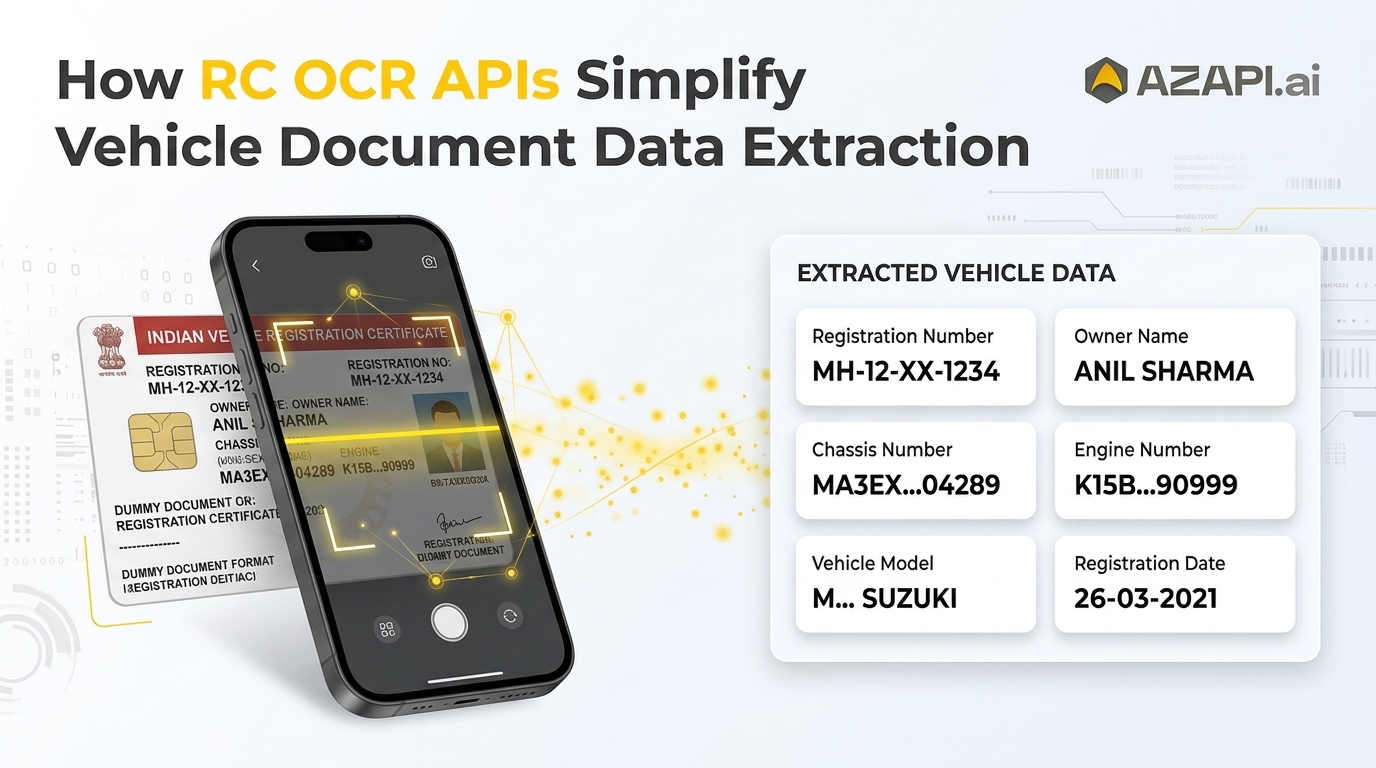
An RC OCR API provides developers with a way to automate text extraction and connect document information directly with their existing applications.
Why Automate Registration Document Processing?
Manual document processing often requires employees or users to read information from an uploaded document and enter it into multiple fields.
This approach can create several operational challenges:
Repetitive data entry across different applications.
Inconsistent formatting of registration information.
Additional processing time for document-heavy workflows.
Difficulty handling large volumes of uploaded documents.
Increased chances of typing and transcription errors.
OCR technology helps address these challenges by converting text present in document images into machine-readable information.
What Information Can OCR Extract?
Depending on the document format, image quality, and supported OCR fields, an RC OCR solution can identify information such as:
Registration Details
Registration number
Registration date
Registration authority
Owner Information
Registered owner's name
Address details, where supported
Vehicle Information
Manufacturer and model
Vehicle class
Fuel type
Identification Details
Chassis number
Engine number
The availability of individual fields depends on the document layout and the capabilities of the selected OCR solution.
Integrating RC OCR into an Application
Developers can incorporate document extraction into an existing application through an API-based workflow.
Step 1: Accept Document Uploads
Create an upload interface where users can submit an image of their Registration Certificate. Support the file formats and size limits accepted by the selected API.
Step 2: Prepare the Document
Check whether the uploaded image is readable and properly oriented. Clear images with sufficient resolution generally provide better input for OCR processing.
Step 3: Send an API Request
The application submits the document to the OCR endpoint using the authentication and request format specified in the API documentation.
Step 4: Process the Response
Once processing is complete, the application receives the available extracted information. Developers can map the returned fields to their database structure or application forms.
Step 5: Validate and Store Data
Review important values, handle missing fields, and apply appropriate validation rules before storing the extracted information.
Practical Applications Across Industries
An RC OCR API can support different types of business applications.
Automotive Marketplaces: Collect registration information when sellers submit vehicle listings.
Insurance Platforms: Capture document details during insurance-related application workflows.
Dealership Management: Organize registration information within inventory and customer management applications.
Fleet Management: Simplify the process of adding registration records to fleet databases.
Digital Service Platforms: Reduce manual document handling when users submit registration documents through online portals.
Development Practices Worth Considering
Successful OCR integration involves more than sending an image and receiving extracted text. Developers should also plan for data quality, error handling, and information security.
Consider these practices:
Image Quality Checks: Detect blurry, poorly lit, or incorrectly oriented uploads before processing.
Response Handling: Design the application to handle incomplete responses and unavailable fields.
Field Validation: Apply suitable checks to important identifiers and registration details.
Error Management: Handle unsupported files, failed requests, and API timeouts gracefully.
Data Protection: Protect uploaded documents and extracted personal information through appropriate security measures.
Human Review: Provide a review process when extracted information is incomplete or uncertain.
It is also important to understand that OCR extracts information from a document. It does not independently establish document authenticity, legal validity, or official registration status. Those checks require separate verification procedures.
Choosing an RC OCR API
Before integrating an OCR service, developers should evaluate several factors:
Supported document types and image formats.
Availability of required extraction fields.
API documentation and integration requirements.
Response structure and error handling.
Data security and privacy practices.
Support for the expected application workload.
Testing the API with representative document samples can help developers understand its suitability for their specific workflow.
Explore RC OCR Capabilities with AZAPI.ai
AZAPI.ai provides API-based OCR solutions designed to help businesses and developers automate document data extraction.
Its Vehicle RC OCR API can help applications process Registration Certificate images and retrieve supported information for use in digital workflows.
Developers can explore the service and its integration details here:
Explore AZAPI Vehicle RC OCR API
Final Thoughts
Automating registration document processing can simplify the way applications collect, organize, and manage important information.
By integrating an RC OCR API, developers can reduce repetitive manual entry and connect document extraction capabilities with existing automotive, insurance, and business applications.
The key is to combine OCR processing with proper validation, secure data handling, and reliable application-level error management.
About the Author
AZAPI SERVICES
AZAPI.ai offers AI-powered APIs for OCR, document extraction, CAPTCHA solving, IMEI verification, and mobile warranty checks, helping businesses automate workflows and simplify data processing.