A Birthday Screen Slide That Works With the Sound Off
Design the birthday greeting as readable text first, then fit an optional portrait clip into the screen without relying on its soundtrack.
Pugoing
Picture a birthday message on a break-room display. The screen is wide, the video is narrow and the only greeting is sung in a soundtrack nobody can hear. A person walking past sees movement without learning whose birthday it is.
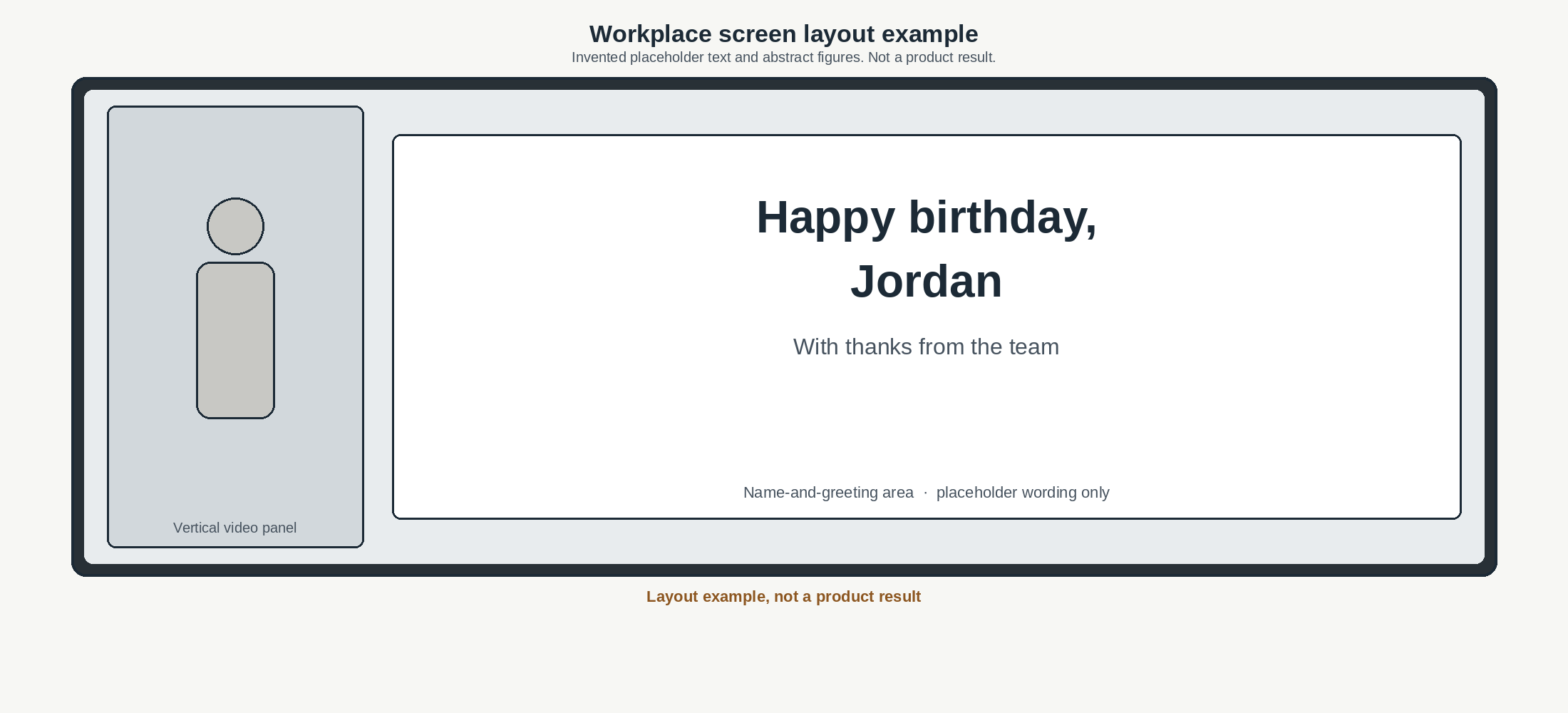
The practical solution starts with a readable slide. Treat the name and greeting as the main information, with any moving portrait occupying a separate part of the layout.
1. Get agreement on the message and audience
Confirm that the colleague wants a public workplace birthday message. Ask about the name they prefer, the photograph being considered and whether the message should appear for a particular period.
A birthday notice does not need an age, a birth year or an announcement to every office channel. Use only the details agreed for this display. A colleague can welcome a text greeting while declining a portrait.
Check the physical screen too. Note its shape, where people normally stand and whether the display is always muted. Those observations should determine the composition before any video is prepared.
2. Build the static slide first
Put the approved name and a brief greeting on a plain background. Start with the actual slide dimensions supplied by the display system, then test the layout at the real viewing position.
Look at the longest name in the design without zooming. Leave enough space around the lettering to separate it from decoration. If people need to stand directly beneath the screen to read it, simplify the layout and test again.

Keep this static version as a finished option. It can be used when there is no agreed photograph or the player cannot reliably handle the video.
3. Fit an optional clip into the design
One possible source is to create a short birthday dance clip from one permitted photo. This is a page in our own product, AI Dance Generator.
It accepts a JPG or PNG of one person, with a full-body view preferable, and offers Party Hat Dance or Birthday Cake Dance. The output is a vertical ten-second 480p MP4 with music and no watermark. It replaces the background with a birthday setting, so approval should cover that alteration as well as use of the original likeness.
Generation uses 150 credits for the ten-second clip. A 300-credit pack costs $9.99 and does not expire. Review the face and motion before using the result.
Place this modest-resolution clip inside the designed frame on a wide screen. Enlarging it to fill the whole display does not turn it into sharp high-resolution footage.
4. Keep the words editable
Add the exact name and greeting in a separate layout or video editor. The birthday generator is not a dependable way to produce precise lettering inside a generated scene.
Use text that stays visible long enough to read, rather than a name that flashes briefly at the start. Keep it outside the area where the person moves. If the clip loops, the greeting can remain still while the portrait panel repeats.
Check spelling against the approved wording. Avoid inventing a personal nickname to make the message feel warmer.
5. Test the actual playback
Mute the finished preview and ask whether its meaning is still complete. Then test it in the display system, because a desktop preview cannot establish how that player will crop or replay a file.
Watch the transition into the slide, at least one full loop and the transition out. Check for a black frame, an abrupt restart or an unexpected change in volume. These are playback observations to make, not outcomes to assume.
Keep unrelated workplace footage out of the design. A screen celebration does not need colleagues, customers or private material visible in a background photograph.
6. Approve the final file and removal time
Use a short final check before scheduling the message.
The colleague approved the audience, wording and exact likeness being shown.
The name is readable from the normal viewing position.
The message makes sense with sound off.
The player shows the full layout without an awkward crop.
A static slide is available.
Someone knows when to remove the birthday message.
A clear end time is part of finishing the design. The next day's ordinary screen content should not depend on someone remembering which draft was used.
About the Author
Pugoing
No bio available